Best CRM for WooCommerce: Why Pipedrive Wins
Compare the top CRMs for WooCommerce — HubSpot, Salesforce, Zoho and Pipedrive — and discover why Pipedrive paired with W2P is the best fit for sales-driven online stores.
Running a WooCommerce store without a CRM is like flying blind. You process orders, collect customer data, and handle payments — but all that valuable information stays locked inside your WordPress dashboard, out of reach for your sales team.
A CRM changes everything. It turns raw order data into a structured sales pipeline, automates follow-ups, and gives your team the visibility they need to close more deals.
But which CRM is the best fit for WooCommerce? In this guide, we compare four popular options — HubSpot, Salesforce, Zoho CRM, and Pipedrive — and explain why Pipedrive stands out for sales-driven e-commerce teams.
Why Your WooCommerce Store Needs a CRM
The Limits of WooCommerce's Built-in Customer Management
WooCommerce is great at processing orders. But when it comes to managing customer relationships, it falls short:
- No sales pipeline or deal tracking — orders are just entries in a list.
- No automated follow-ups when a cart is abandoned or a payment fails.
- No way for your sales team to see customer history at a glance.
- Limited segmentation — you can't prioritize high-value customers easily.
As your store grows, these gaps become revenue leaks. A CRM plugs them by giving your team a structured, actionable view of every customer interaction.
What a CRM Brings to E-commerce
A CRM connected to your WooCommerce store lets you:
- Visualize your sales pipeline — see every order as a deal moving through stages.
- Automate follow-ups — trigger actions when carts are abandoned, payments fail, or new customers sign up.
- Track the full customer lifecycle — from first visit to repeat purchase.
- Empower your sales team — with context-rich profiles instead of raw order data.
The question isn't if you need a CRM — it's which one.
Top CRMs for WooCommerce Compared
Not all CRMs are equal when it comes to WooCommerce integration. Here's how the four most popular options stack up for e-commerce teams.
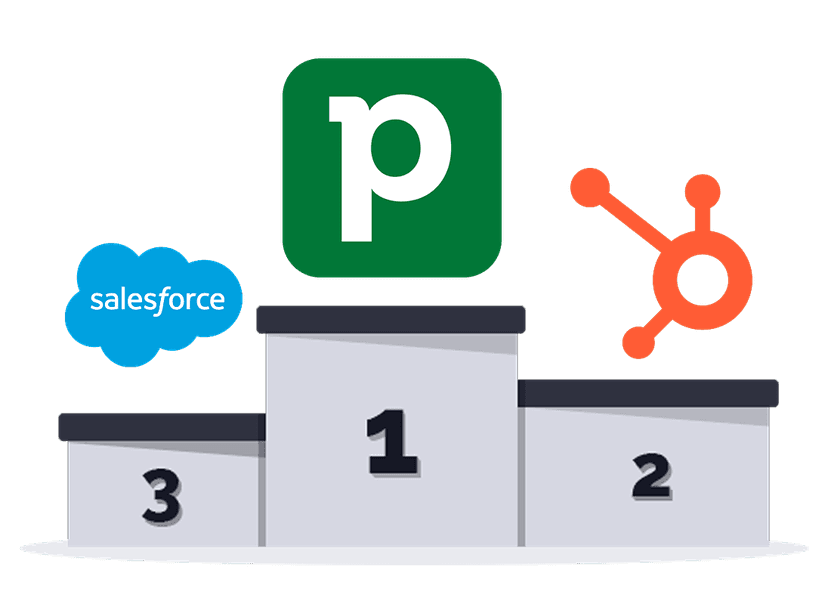
| HubSpot | Salesforce | Zoho CRM | Pipedrive | |
|---|---|---|---|---|
| Best for | Marketing-heavy teams | Large enterprises | Budget-conscious teams | Sales-driven teams |
| WooCommerce integration | Third-party plugins | Custom development | Limited plugins | Dedicated plugin (W2P) |
| Ease of use | Moderate | Complex | Moderate | Very easy |
| Sales pipeline | Good | Advanced | Basic | Excellent |
| Pricing (starting) | $20/mo/user | $25/mo/user | $14/mo/user | $14/mo/user |
| E-commerce focus | Low | Low | Low | High (with W2P) |
| Historical data sync | Not available | Custom dev required | Not available | One-click with W2P |
| Abandoned cart recovery | Requires workflows | Custom dev required | Not supported | Built-in with W2P |
HubSpot — Powerful but Overkill for Most Stores
HubSpot is a marketing powerhouse with CRM capabilities. It excels at email campaigns, landing pages, and content management. But for WooCommerce stores focused on sales, it comes with significant downsides:
- Pricing escalates quickly as you add contacts and features.
- WooCommerce integration relies on third-party plugins with limited capabilities.
- The sales pipeline is secondary to the marketing suite — it's not where HubSpot shines.
Verdict: Great if marketing automation is your priority. Overkill (and overpriced) if you need a lean, sales-focused WooCommerce CRM.
Salesforce — Enterprise-Grade, Enterprise-Priced
Salesforce is the industry standard for large organizations. But for small-to-medium WooCommerce stores, it's often the wrong tool:
- Steep learning curve — your team will need training (and possibly a dedicated admin).
- No native WooCommerce integration — connecting the two requires custom development or expensive middleware.
- Pricing adds up fast with add-ons, API limits, and premium features.
Verdict: The right choice for enterprise teams with complex needs and dedicated IT resources. Overkill for most WooCommerce businesses.
Zoho CRM — Affordable but Integration Challenges
Zoho CRM offers competitive pricing and a wide range of features. However, connecting it to WooCommerce is not as smooth as expected:
- WooCommerce integration requires Zapier or custom API work — no dedicated plugin exists.
- The interface can feel cluttered, especially for teams that just need a clean sales pipeline.
- E-commerce-specific features (abandoned cart tracking, product sync) are absent.
Verdict: A solid budget CRM, but connecting it to WooCommerce requires workarounds that add friction and maintenance overhead.
Pipedrive — Built for Sales-Driven Teams
Pipedrive was designed with one thing in mind: helping sales teams close deals. Its visual pipeline, intuitive interface, and activity-based approach make it the natural CRM for e-commerce:
- Clean, visual sales pipeline — every order becomes a deal your team can act on.
- Activity-driven workflow — never miss a follow-up or a stale deal.
- Affordable and transparent pricing — no hidden fees, no feature gating.
- And most importantly: a dedicated WooCommerce integration exists — W2P.
Verdict: The best CRM for WooCommerce stores that want a sales-first approach without the complexity or cost of enterprise solutions.
Attio — A Modern, Data-First Alternative
Pipedrive is the best fit for sales-driven teams — but it's worth being honest: it isn't the only modern option. If your team thinks in data rather than deal stages and wants a highly customizable, API-first CRM, Attio is a newer alternative built for flexible, ops-heavy workflows.
It's a different philosophy. Where Pipedrive gives you a ready-made sales pipeline out of the box, Attio lets you model your own data structure from scratch. For pure e-commerce sales follow-up, Pipedrive stays the more direct choice — but if Attio matches how your team works, we built a dedicated WooCommerce to Attio integration too, with the same one-click historical sync and abandoned-cart support.
Why Pipedrive Is the Best Fit for WooCommerce
Sales Pipeline Visibility on Every Order
Pipedrive's visual pipeline turns your WooCommerce orders into a clear, actionable workflow. Instead of scrolling through an order list in WordPress, your sales team sees deals moving through stages — from new order to completed sale.
Each deal carries the full context: customer details, order value, products purchased, and the complete interaction history. No tab-switching, no guessing.
Automation That Works for E-commerce
Pipedrive's automation engine pairs perfectly with WooCommerce events. When a customer abandons a cart, a payment fails, or a new user registers, Pipedrive can automatically:
- Create a deal in the right pipeline stage.
- Assign an activity to the right salesperson.
- Trigger an email sequence or a reminder.
This is where the combination of Pipedrive + W2P truly shines. Learn more about why this integration matters in our article Why Sync WooCommerce with Pipedrive.
Affordable Pricing That Scales
Unlike HubSpot or Salesforce, Pipedrive keeps pricing simple and predictable. Plans start at $14/month per user, and you won't hit a paywall for core sales features. Combined with W2P's affordable pricing model (no per-action fees like Zapier), it's the most cost-effective CRM stack for WooCommerce stores.
How to Connect WooCommerce to Pipedrive
The Problem with Generic Connectors
Tools like Zapier or Make can technically connect WooCommerce to any CRM. But they come with trade-offs that matter for e-commerce:
- No historical sync — they only process new events, leaving your past orders behind.
- Per-action pricing — costs scale linearly with your order volume.
- Limited WooCommerce awareness — they don't understand order structures, product data, or guest checkouts.
- Silent failures — workflows can break without warning, leaving gaps in your CRM data.
For a detailed comparison, read our Zapier vs. W2P analysis.
W2P: A Purpose-Built Plugin for WooCommerce + Pipedrive
W2P (WooCommerce to Pipedrive) is a WordPress plugin built exclusively for this integration. It lives inside your WordPress admin, speaks WooCommerce natively, and syncs everything directly to Pipedrive — no middleware, no third-party accounts.
Exclusive Features You Won't Find Elsewhere
- Abandoned cart sync — abandoned carts are pushed to Pipedrive as deals or activities, so your team can follow up and recover lost revenue.
- One-click historical sync — import all your past orders and customers into Pipedrive in a single click. No other tool offers this.
- Full field mapping with conditions — map any WooCommerce field to any Pipedrive attribute, with conditional logic and fallback values.
- Product sync — order line items are synced as Pipedrive products, including custom fields and variations.
- Deduplication — automatically find and link existing Pipedrive records to avoid duplicates across all fields.
- Built-in error handling — detailed logs and automatic retry, so nothing gets lost.
Explore the full feature set on our Features page.
Real Use Cases: What You Can Do with WooCommerce + Pipedrive
Here are three high-impact scenarios where the Pipedrive + W2P combination delivers immediate ROI:
Recover Abandoned Carts Through Your Sales Team
On average, 70% of online shopping carts are abandoned (Baymard Institute). With W2P, each abandoned cart creates a deal in Pipedrive, complete with customer details and cart contents. Your sales team gets an activity to follow up — turning a lost sale into a conversation.
Automate New Customer Onboarding
Acquiring a new customer costs 5 to 25 times more than retaining one (Harvard Business Review). W2P automatically creates a Person in Pipedrive when a new user registers, linked to their order history. Your team can then trigger a welcome activity — a personal touch that builds loyalty from day one.
Catch Failed Payments Before They're Lost
A failed payment is often just an expired card or a temporary bank issue — not a lost customer. W2P sends these events to Pipedrive instantly, so your team can reach out before the lead goes cold. Sometimes a two-minute call is all it takes to save a sale.
Want to see step-by-step how to set up these scenarios? Read our WooCommerce to Pipedrive use cases or dive into the configuration guide.
Getting Started in Under 10 Minutes
Setting up W2P takes minutes, not days. Install the plugin from WordPress.org, connect your Pipedrive API key, configure your field mapping with sensible defaults, and you're live.
No external accounts. No per-action fees. No middleware to maintain.
If you're running a WooCommerce store and your sales team needs a CRM that just works, Pipedrive + W2P is the stack to bet on.